A director that listens.
From verses and choruses to build-ups, drops and drum fills: Amadeus shapes each musical phrase and keeps accents locked to the music.
BUILD-UPTHE DROP ↗GROOVE
 amadeus DMXGet Amadeus ↗
Your tracks become a light show. Amadeus DMX follows the beat,
shapes the atmosphere, and makes every drop a moment.
From the first quiet phrase to the final drop.
Lighting that follows the shape of your music.
From verses and choruses to build-ups, drops and drum fills: Amadeus shapes each musical phrase and keeps accents locked to the music.
Preview beams, colours and movement before the lights come on. Explore the native 3D stage, camera presets and LED wall previews.
Choose from around 2,400 fixture definitions, available offline. Build trusses, place fixtures and reuse your set at every venue.
SET → RIG → SHOWChoose a cloud decision model, a local model through Ollama, or instant offline rules. Timing stays with the engine.
YOUR SHOW. YOUR CHOICE.Set the event and its length. Show Arc follows the energy of your mix, brings in groups of lights and saves special effects for the big moments. Take over any control whenever you want.
Meet Show Arc ↗Coordinate compatible foggers and hazers with the music. Shape beam zones, limit brightness while setting up, and choose Perform Only when it’s time to focus on the lights.
Configure your atmosphere ↗Play a local audio file or follow supported DJ decks live.
Add your fixtures, patch your set and mount it on a venue rig.
Preview in 3D, then send your show to your DMX hardware.
Keep the software you mix with.
Give it a lighting partner.
Live deck state through the AmadeusLink master-effect plugin.
Follow the mix through a controller mapping and virtual MIDI.
Follow deck information with Ableton Link beat sync.
Route universes to your controllers. Discover Art-Net nodes and USB interfaces from the app.
Optional streamed-track support works with Spotify tracks in djay Pro and VirtualDJ, including through Amadeus Link. See requirements ↗
Build your rig once. Preview the whole show.
Arrive with a plan.
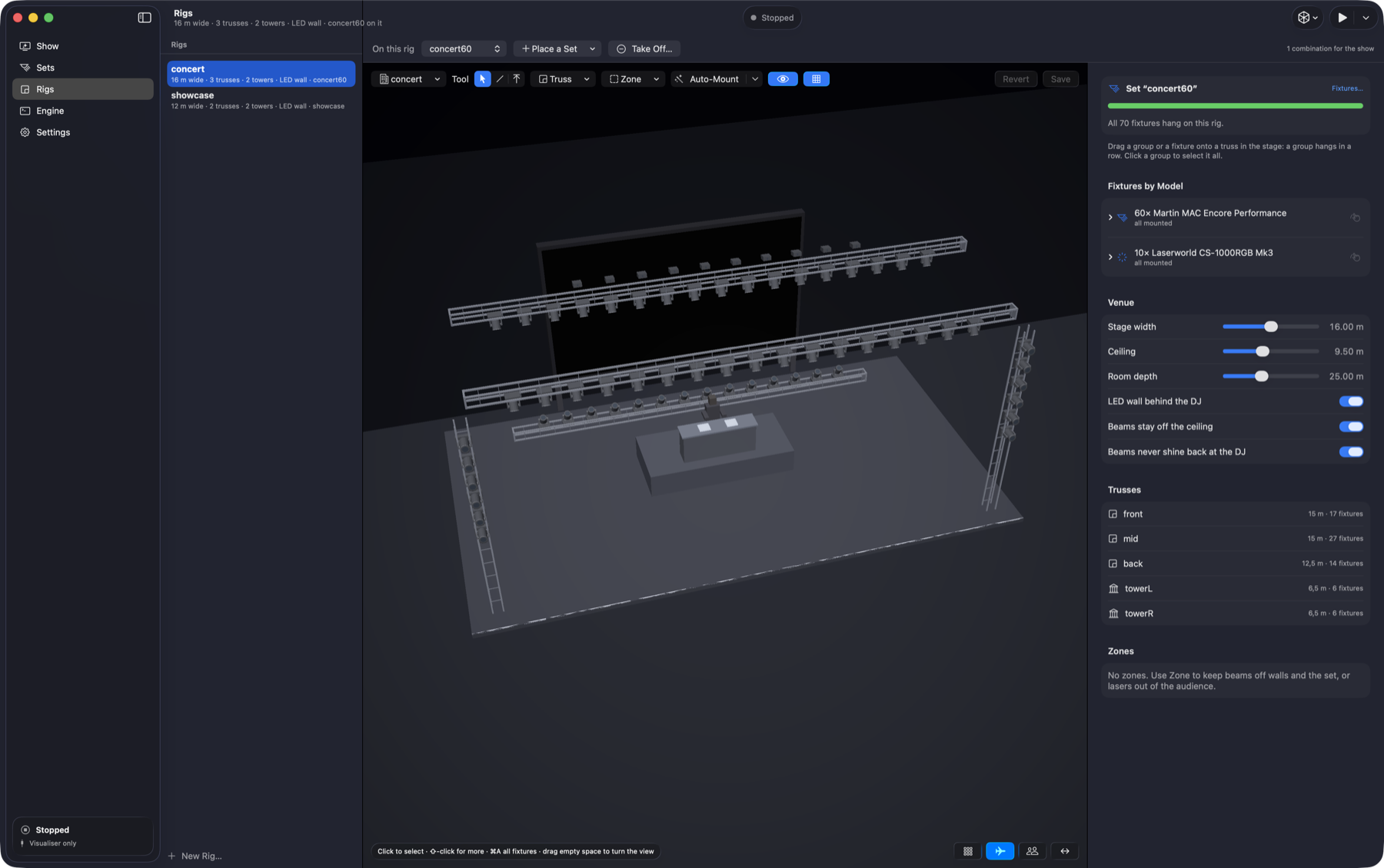
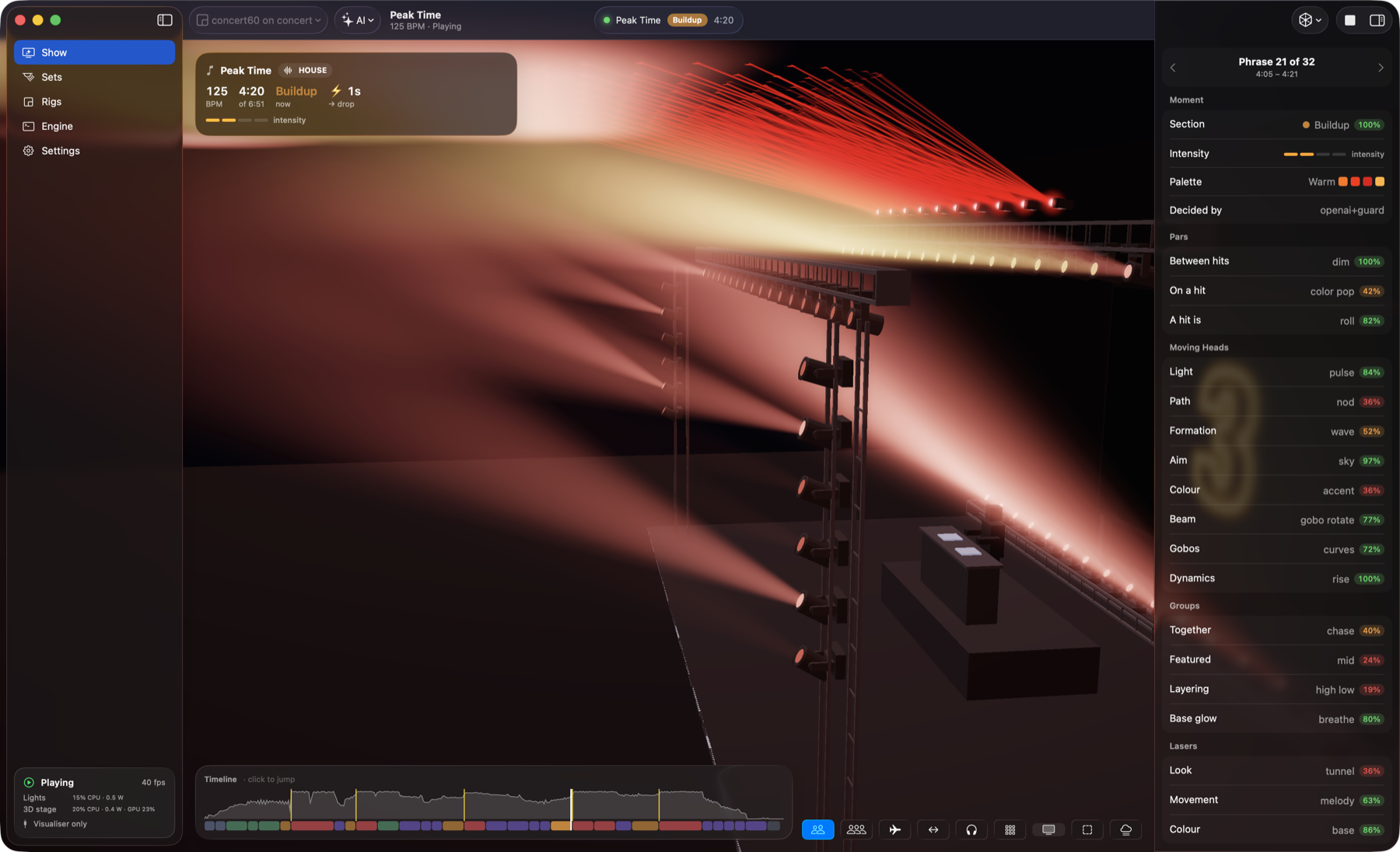
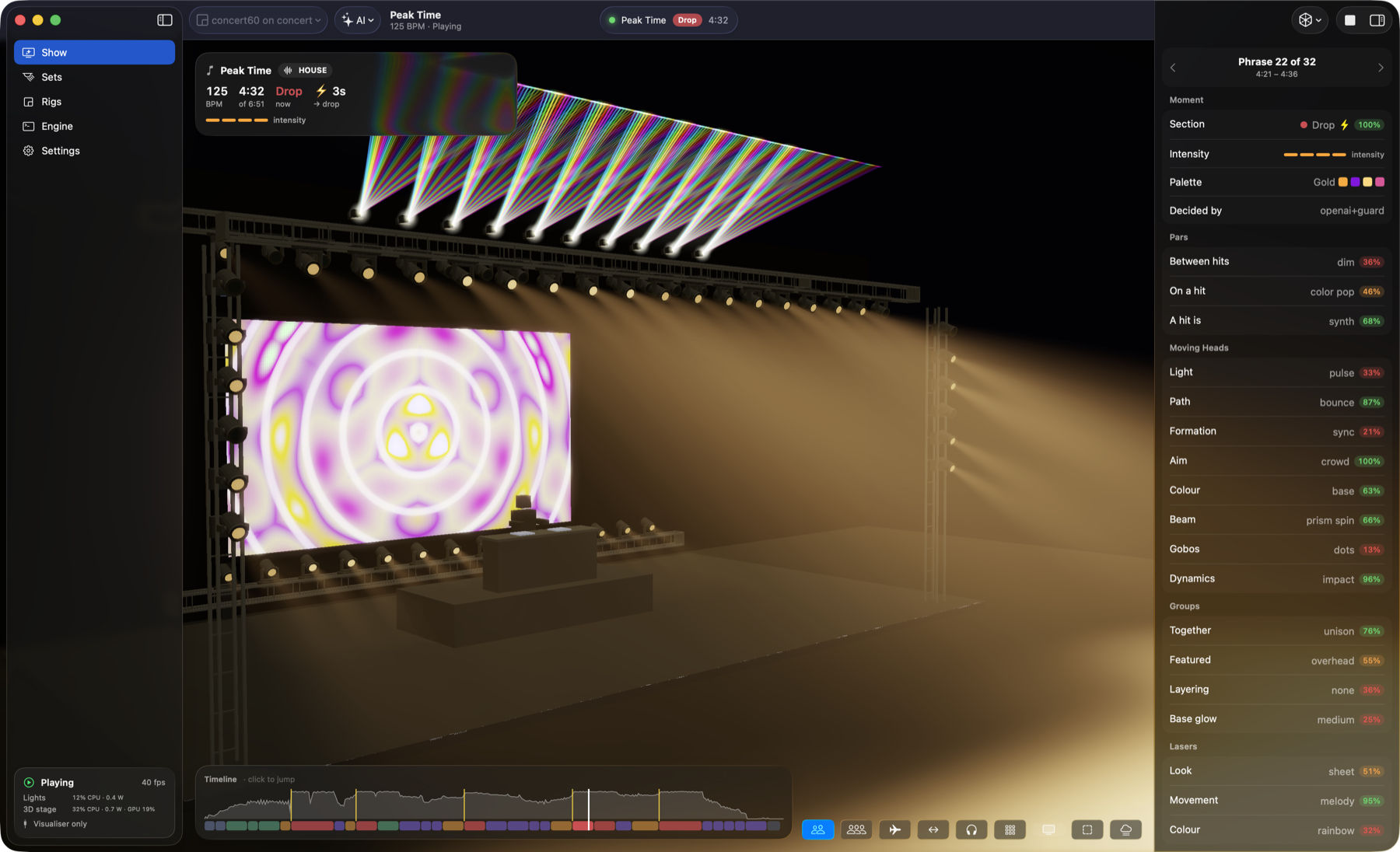
Explore a build-up, a drop and the rig editor in this short tour of the native app. Each view shows Amadeus DMX with a concert-stage setup.
Screenshot walkthrough · Silent · Native macOS app
I created Amadeus DMX because it’s the software I always missed throughout my career as a mobile DJ. I could never find a free lighting tool that worked the way I wanted: an AI-powered director by my side for the entire gig.
From the early warm-up to the last big party banger, I wanted the lights to move with the music. A show that evolves with the night, while I focus on the dance floor.
The idea is simple: make setting up your fixtures and rigs easy. Then press play and let Amadeus take care of the lighting.
It works with djay Pro, VirtualDJ and Mixxx. There’s even optional support for Spotify tracks played through djay Pro or VirtualDJ, with the optional streamed-track feature.1 And if you want a dedicated lighting setup, you can run Amadeus DMX on a separate laptop.
Built from the DJ booth, for the DJ booth.
Choose Mac or Windows. Get Amadeus DMX for your lighting computer, and Amadeus Link for a separate DJ laptop.
Windows 10 22H2 or Windows 11 · x64
4-core processor · 8 GB RAM minimum
macOS 26 or later · Apple Silicon M1 or newer
8 GB RAM minimum
Follow the setup assistant, connect your decks and make the lights yours.